Run your clinic’s day,
not its paperwork.
Appointments, walk-in tokens, patient records and staff — one calm screen your front desk understands on day one.
Aapka clinic, organized.
- No double-bookings
- Walk-in queue tokens
- Multi-clinic & multi-currency

A patient visit, in three taps
Designed for the busiest seat in the clinic — the front desk. If you can use a phone, you can run matab.
Register the patient
Name and phone is enough. An MRN is assigned automatically and their history starts building.
Book a slot — or take a walk-in
Pick a doctor who is actually free at that time. Walk-ins get a queue token like T-03 instantly.
Run the day from one screen
Check in, complete, or mark no-shows with one tap. The whole clinic sees the same live list.
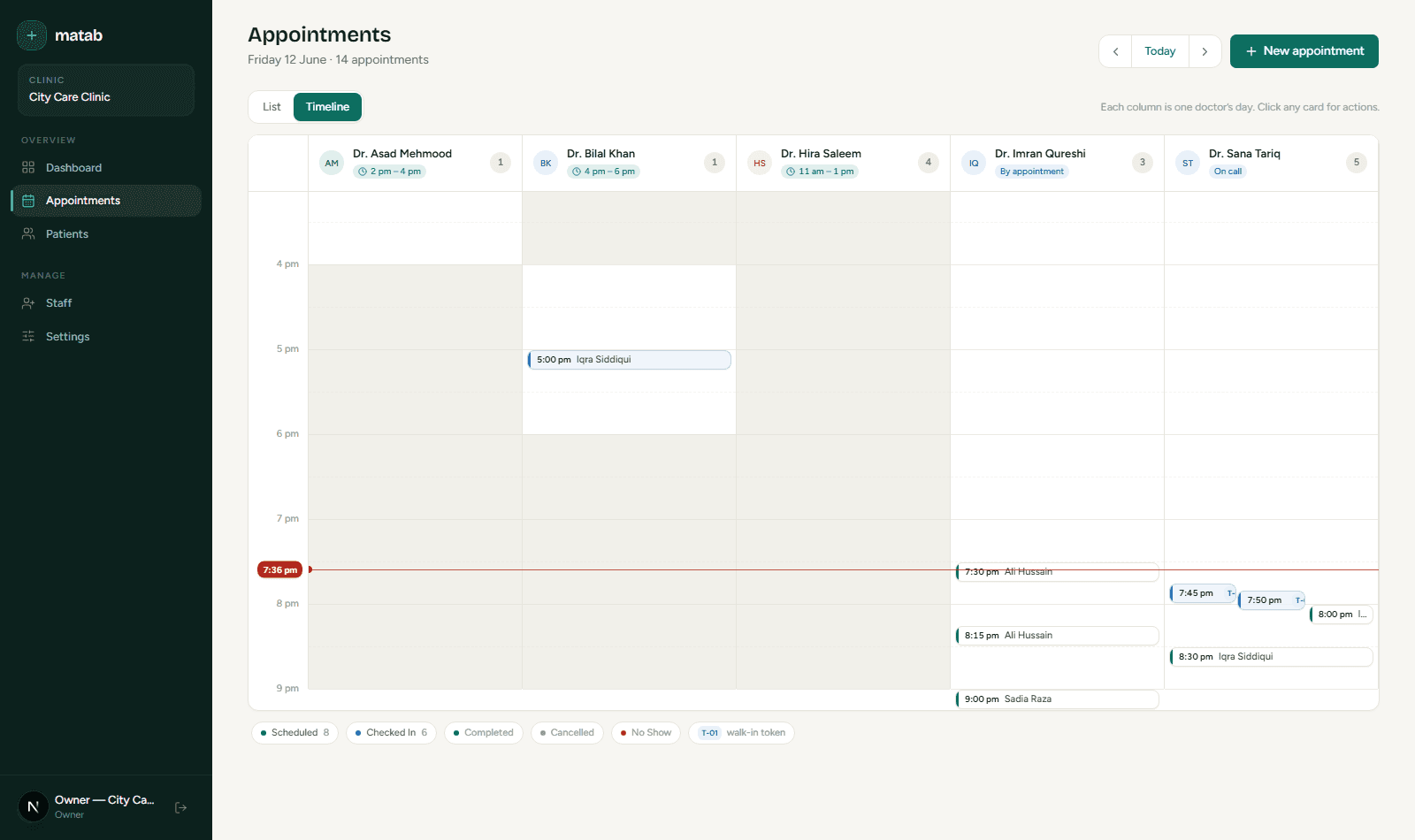
Every doctor’s day on one screen
Small clinic. Serious software.
Live day view per doctor
A simple queue list for the front desk, a timeline for the manager — same data, zero training.
Double-bookings, impossible
Overlaps are checked inside a database transaction. Two calls, one slot, one winner.
Patient history that stays
Every patient gets a profile, an MRN, allergies front-and-centre, and a full visit log.
Real doctor schedules
Daily windows, specific weekdays, on-call, or by-appointment — booking respects all of them.
Roles that match a clinic
Owner, receptionist, doctor — each sees exactly what their job needs, nothing more.
Many clinics, one platform
Each clinic is fully isolated with its own currency, timezone and working hours.
Walk in as any role
Every account uses the password password123. Sign in as two different clinics and notice each sees completely different data — that’s the tenant wall.